Connect Your AI to the Systems Your Business Actually Runs On
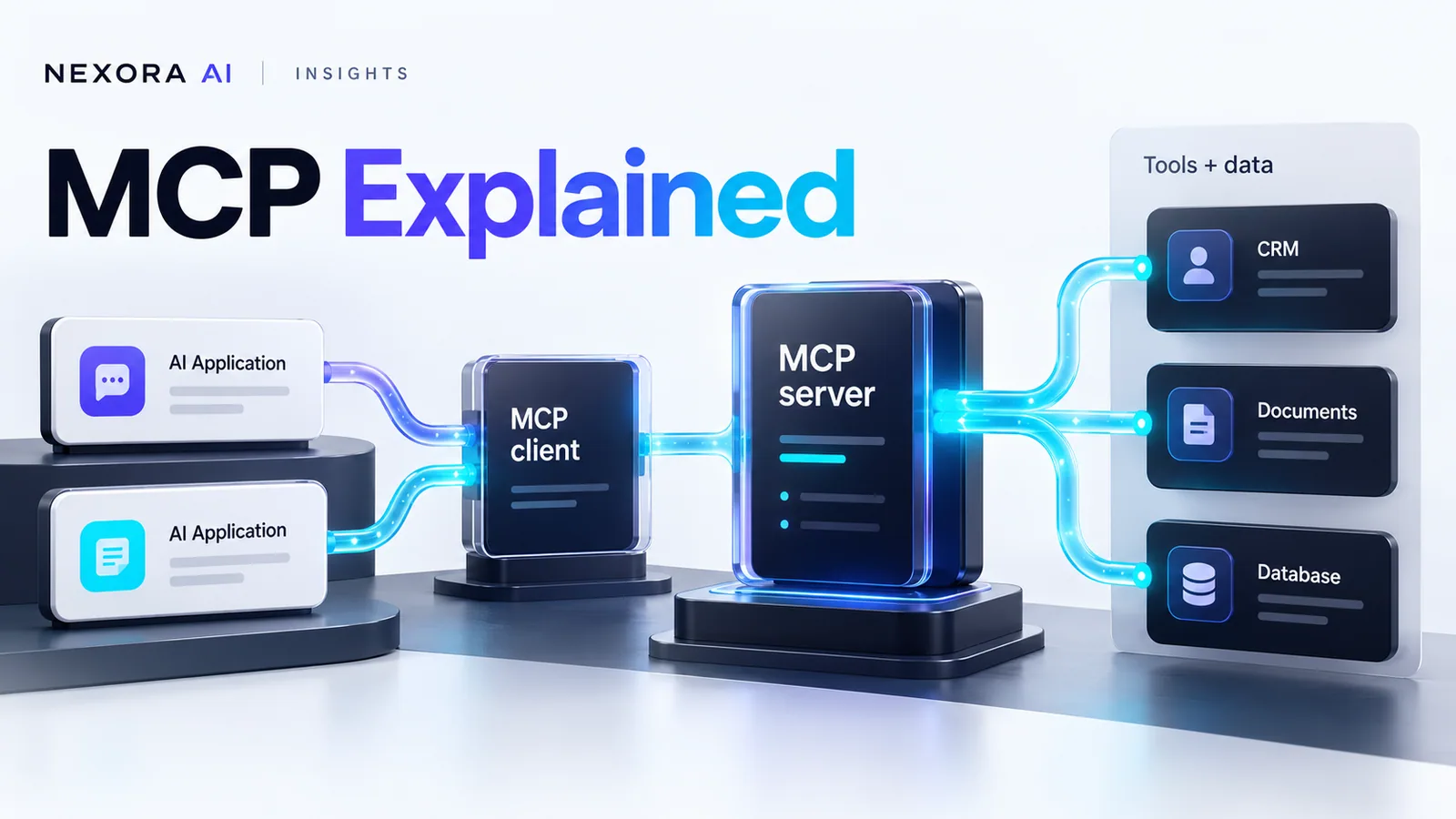
AI that can’t see your data means people copy and paste. Nexora builds MCP servers and API integrations that give your assistants controlled, auditable access to your CRM, documents and internal systems.
See the example build ↓ Illustrative demo
Your AI tools can't see the data they need, so people copy and paste.
- The problem
Your AI tools can’t see the data they need, so people copy and paste between them.
- The frustration
Every new AI tool needs its own one-off integration, and security teams want to know exactly what each one can touch.
- The possibility
Expose a system once, with clear permission scopes and an audit trail, and let the AI tools you choose use it safely.
What you get from MCP & API integrations.
Build once, reuse
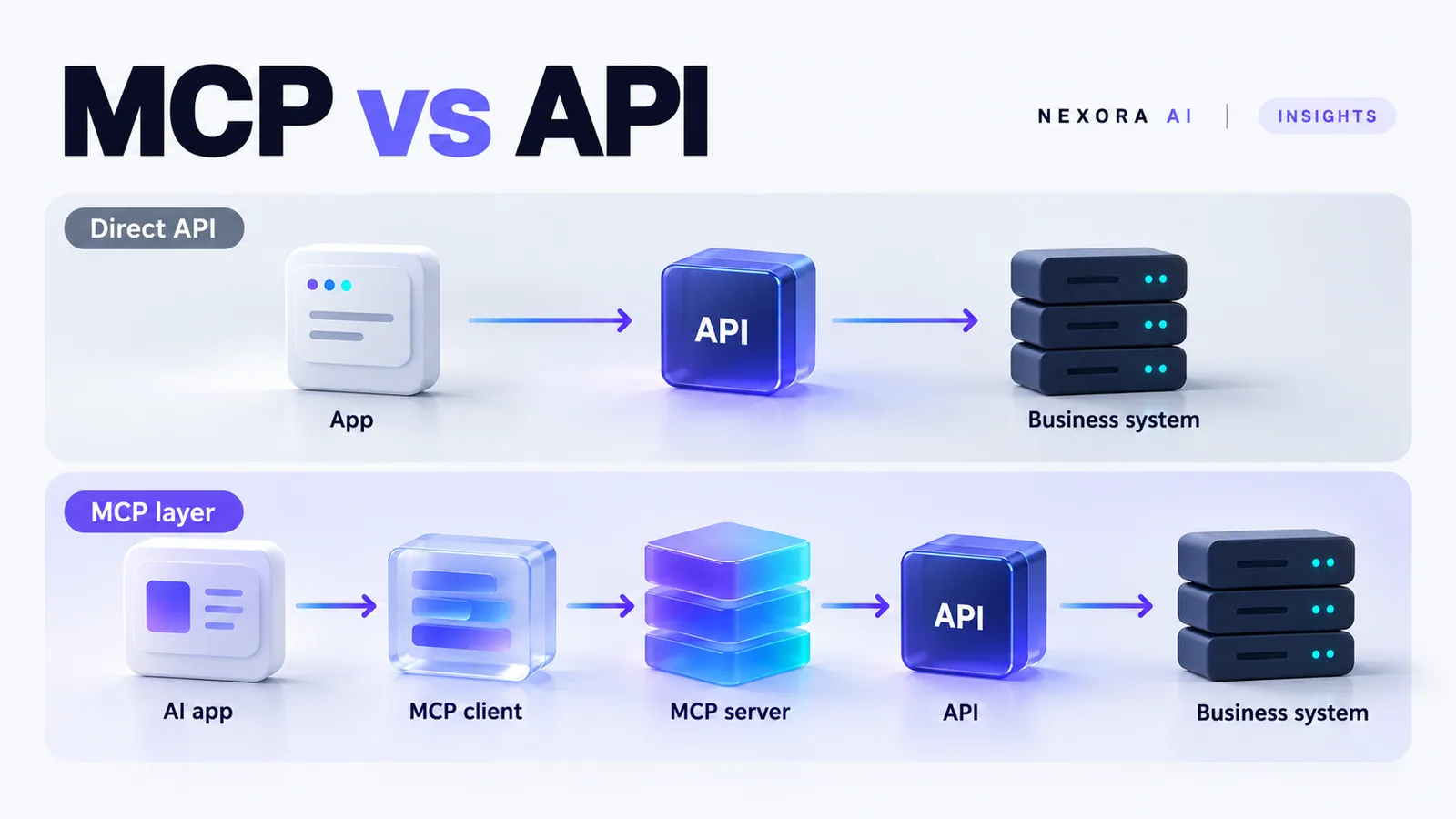
One integration can serve several AI assistants and agents instead of one-off connections.
Control over access
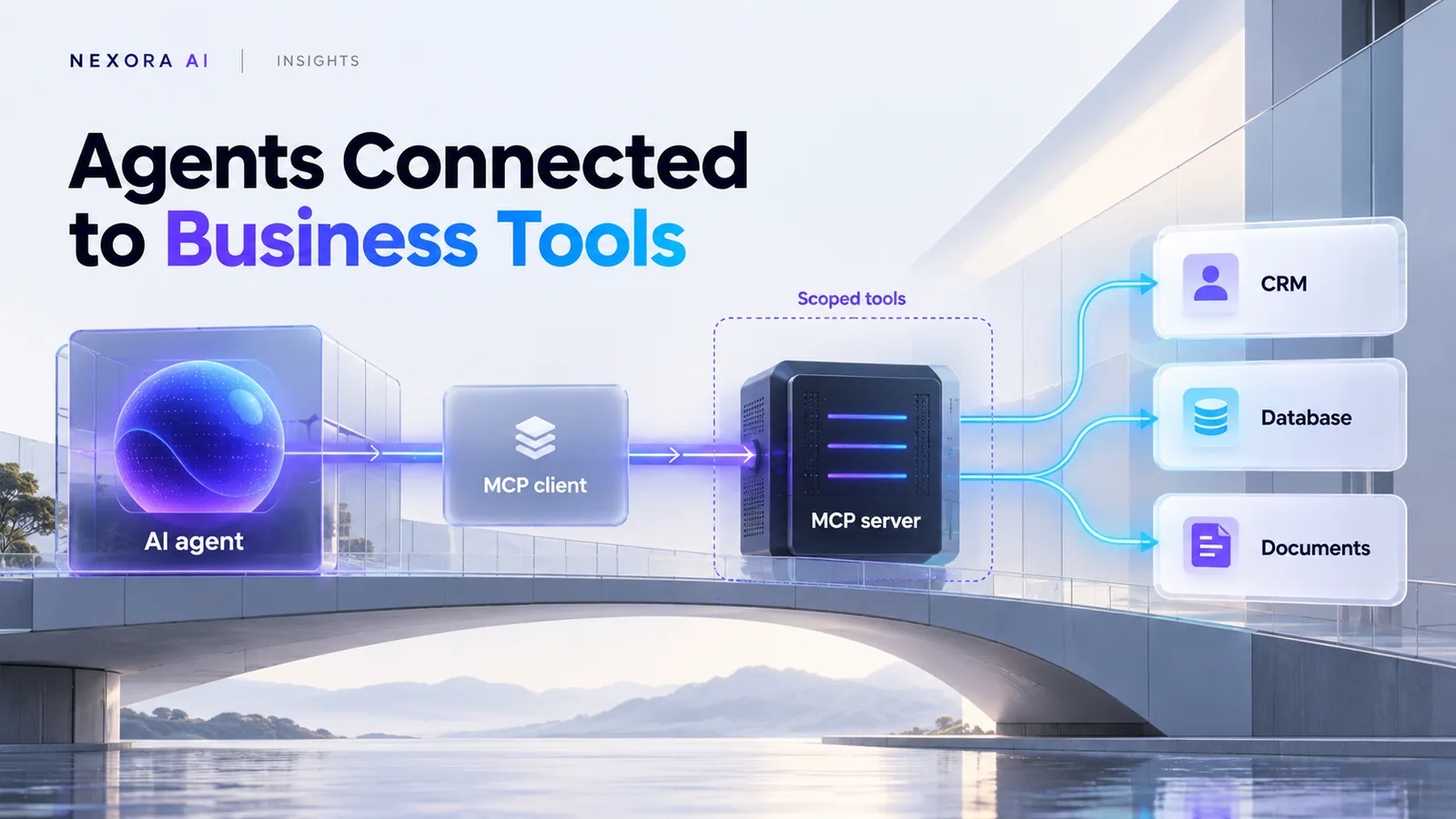
Permission scopes decide exactly which tools and data an AI can use.
Auditable by design
Authentication, rate limits and audit logging are part of the build, not an afterthought.
Less vendor lock-in
An open standard keeps your integrations portable between compatible AI tools.
What we build, and how.
We build MCP servers and API integrations that expose exactly the tools and data an AI should use — with authentication, permission scopes, rate limits and audit logs.
- 01
Design access and permissions
We agree which systems, tools and data are exposed — and at what permission level.
- 02
Build the server or connector
We build custom MCP servers or REST/GraphQL connectors with authentication and logging.
- 03
Deploy and document
We deploy it and hand over technical documentation so your team can maintain it.
- Letting an assistant look up a customer record in your CRM
- Read-only database tools for business questions
- One set of tools shared by several agents
- Connecting internal APIs to AI applications safely
- Custom MCP servers
- REST and GraphQL connectors
- OAuth, API-key and SSO authentication
- Audit logging and usage limits
- Integration & permission design
- Custom MCP server(s)
- REST / GraphQL API connectors
- Auth (OAuth, API keys, SSO)
- Audit logging
- Deployment & docs
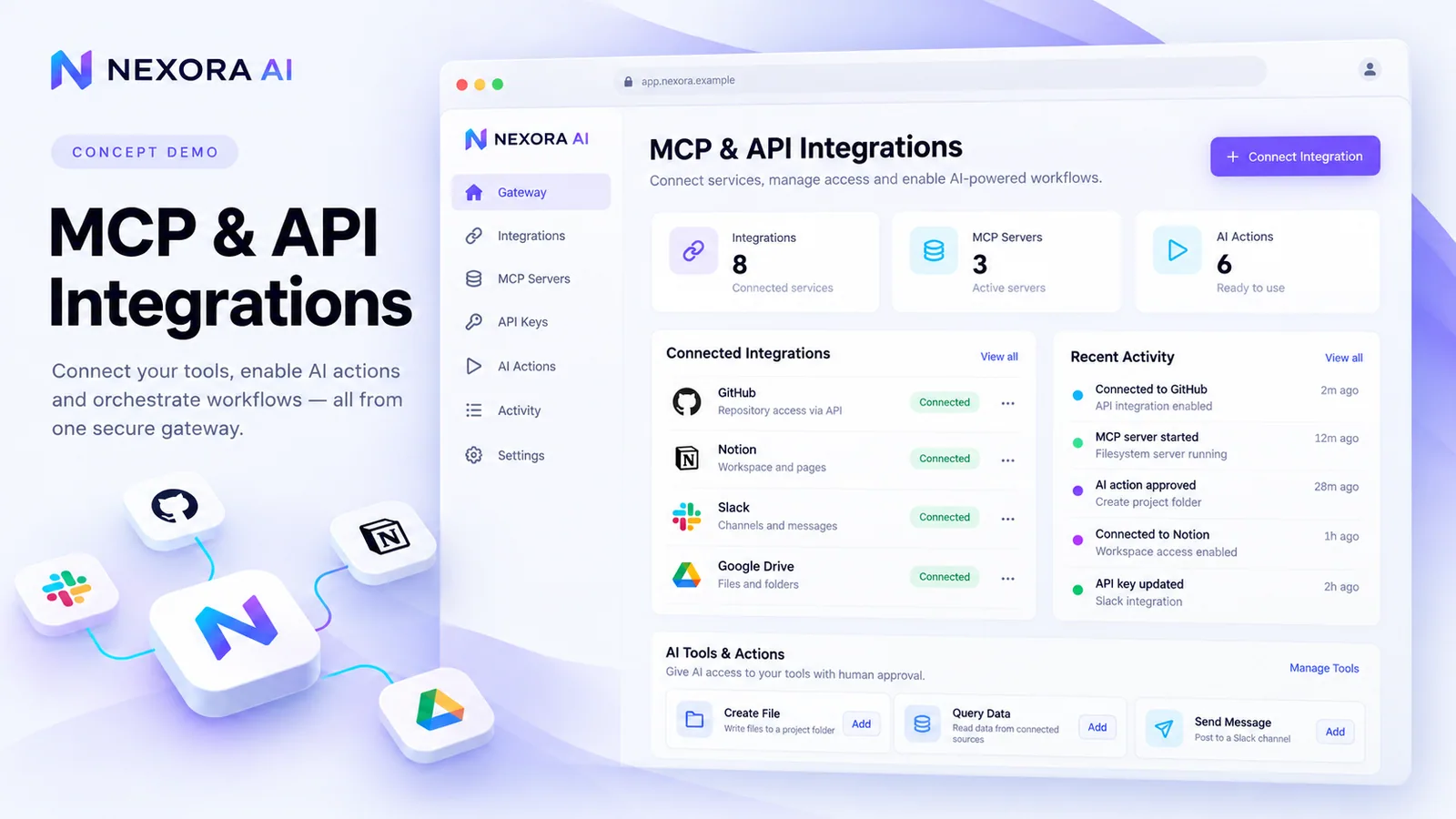
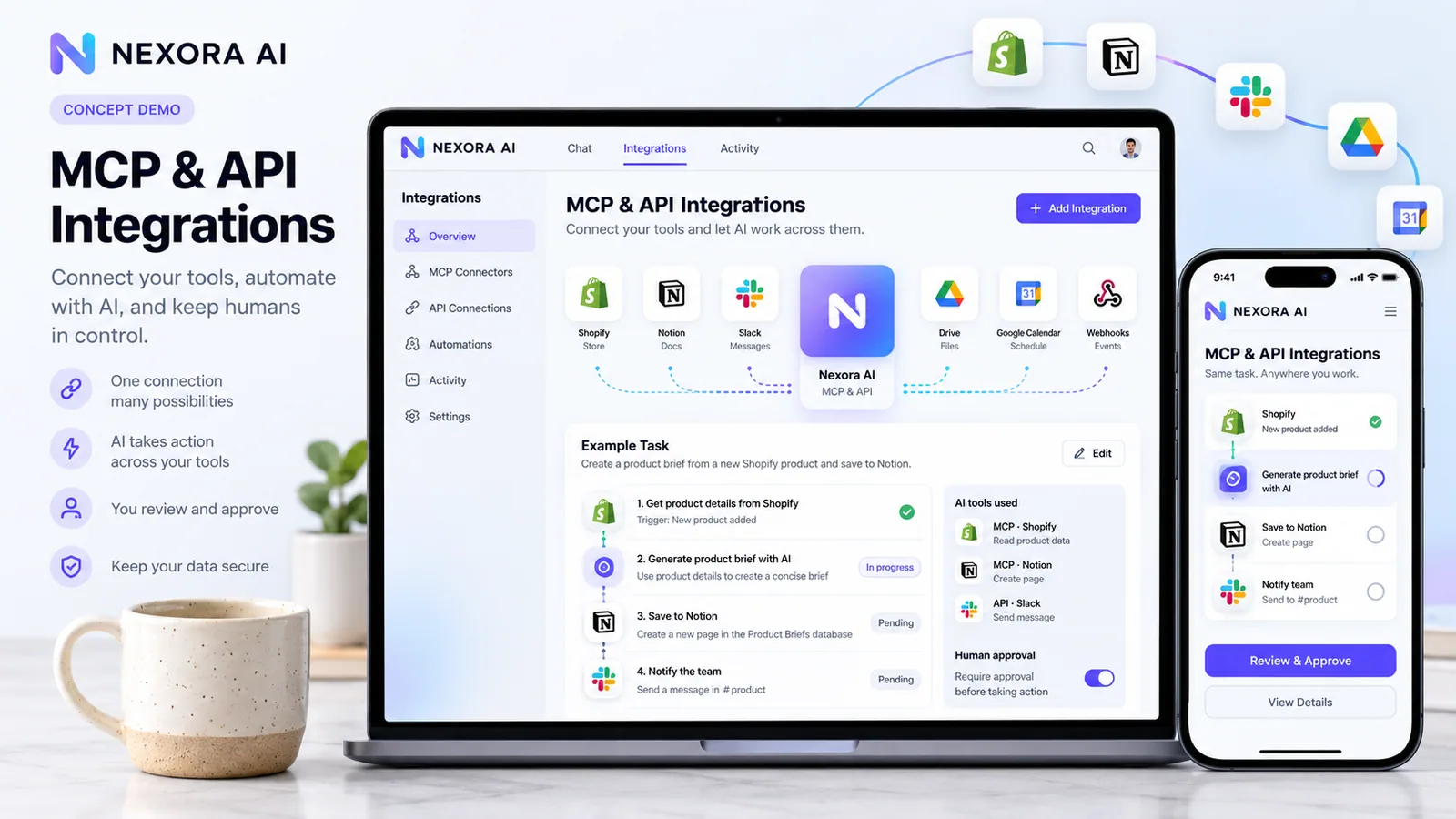
Inside an example MCP & API integrations build.
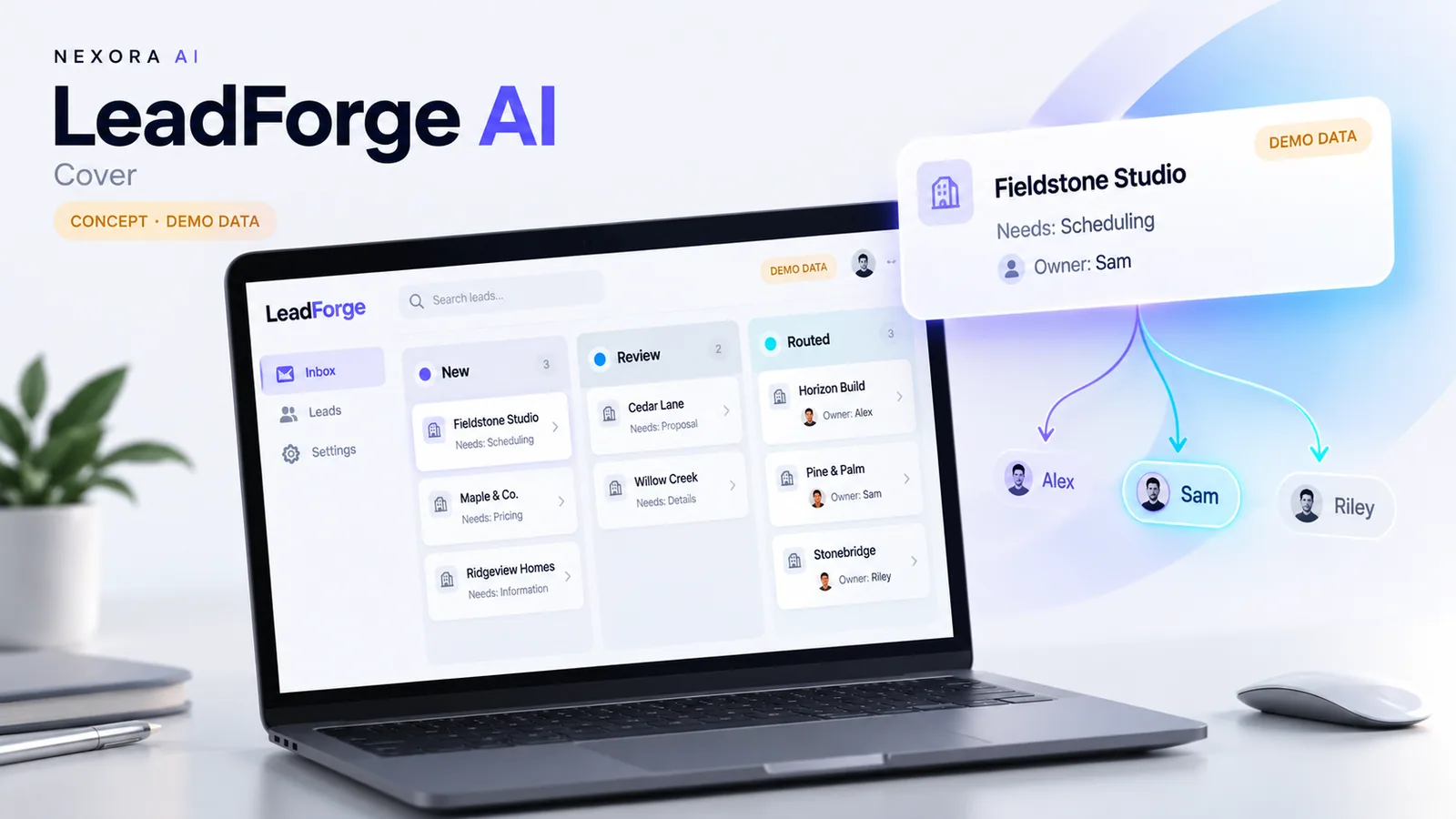
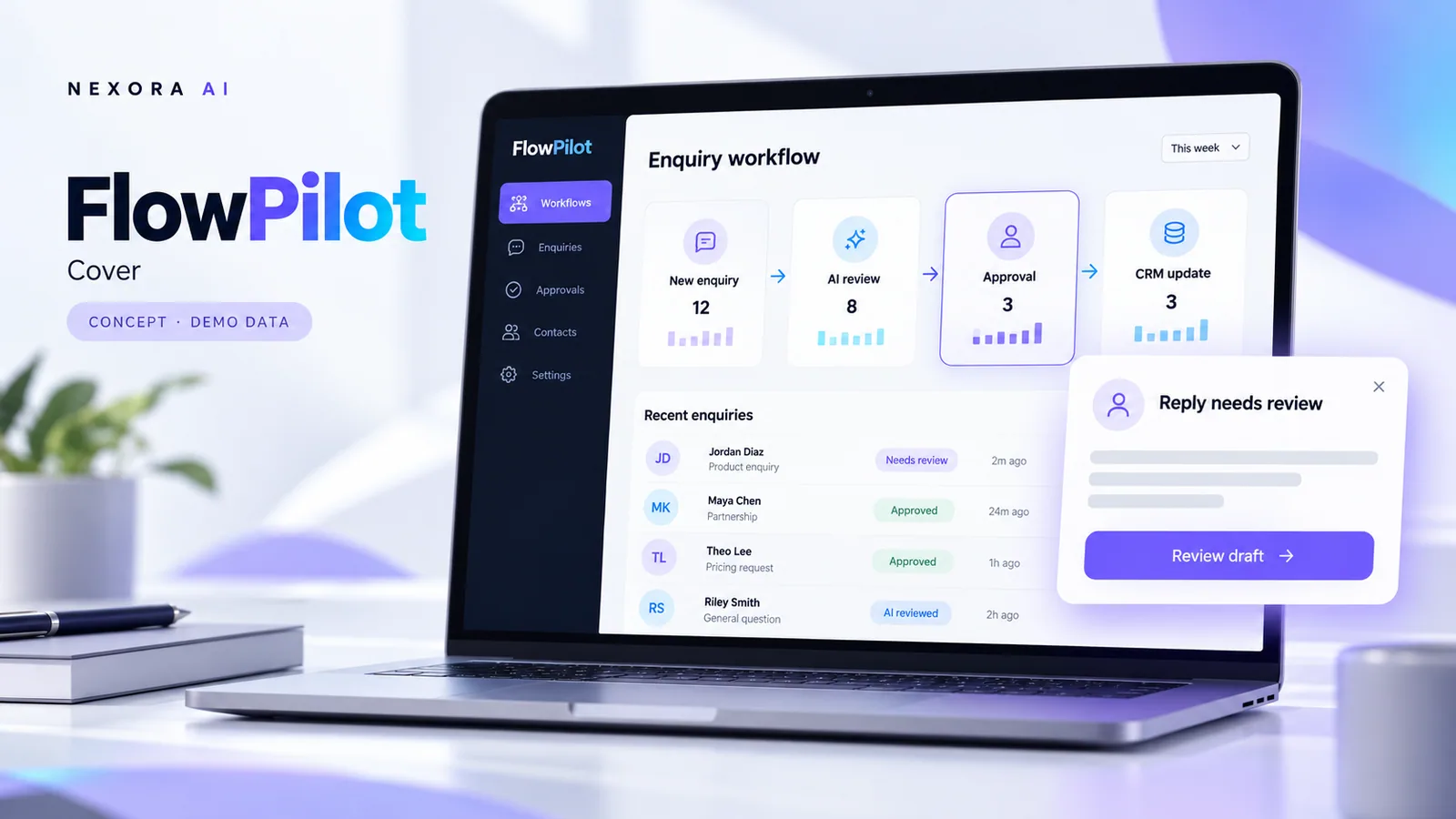
Illustrative Demo — fictional concept interfaces with sample data, built to show what we deliver. They are not client work.
Scope first. Fixed price. Then build.
- 01
Tell Us What You Need
Pick a service and answer a few questions about your business, tools and goals.
- 02
Get Your Estimate
See an indicative price range and delivery window instantly — before you share contact details.
- 03
Confirm Scope & Fixed Quote
We review requirements with you and return a written scope with a fixed price.
- 04
We Build & Test
Engineers build in milestones. Every release is reviewed and tested by a human before you see it.
- 05
Review & Launch
You review on a staging environment, request revisions, then we deploy to production.
- 06
Optional Ongoing Support
Monitoring, maintenance and continuous improvement — only if you want it.
See the approach in practice.
A clear scope first. A fixed price after.
We don’t publish list prices because every project differs. You see an indicative range in the estimator first, with no contact details needed, then a written scope and fixed price once we’ve reviewed your requirements.
From one read-only connector to a multi-system integration layer.
Optional ongoing support is quoted separately, only if you want it.
What shapes your quote
- How many systems are connected
- Read-only versus write access
- Authentication and audit requirements
What’s included
- Integration and permission design
- MCP server or API connector
- Authentication and audit logging
- Deployment guide
AI model, hosting and platform subscriptions are billed by those providers to your own accounts and are not part of the build estimate.
Typical scope options.
Single Connector
Scope option · price shown in the estimator
- One system, read-only tools
- MCP server or API connector
- Auth & logging
- Deployment guide
Business MCP
Most chosenScope option · price shown in the estimator
- Up to 3 systems
- Read + write tools with scopes
- Hosted deployment
- Usage monitoring
Integration Platform
Scope option · price shown in the estimator
- Many systems & teams
- SSO & role-based access
- Internal developer docs
- Security review support
Get your indicative price in minutes.
Answer a few questions to see an indicative range for your project. Contact details are only needed if you want an exact quote.
What happens next.
Get Your Estimate
See an indicative price range and delivery window instantly — before you share contact details.
Confirm Scope & Fixed Quote
We review requirements with you and return a written scope with a fixed price.
We Build & Test
Engineers build in milestones. Every release is reviewed and tested by a human before you see it.
Review & Launch
You review on a staging environment, request revisions, then we deploy to production.
Questions we're asked about MCP & API integrations.
- AI Agent DevelopmentGoal-driven agents that use your tools to answer, qualify, schedule and resolve.Typical delivery: 5–10 business days
- Custom AI DevelopmentBespoke AI features, pipelines and internal tools for problems off-the-shelf tools can't solve.Typical delivery: Scope dependent
- AI AutomationWorkflows that read, decide and act across the tools you already use.Typical delivery: 3–7 business days
Ready to scope your MCP & api integrations project?
Tell us what you want to build. You’ll see an indicative range first; we confirm a fixed price once the scope is clear, and you own everything we build.